Your route.
Your simulation.
Plan a virtual flight, choose speed, altitude and attitude, and send simulated position to ForeFlight over local Wi-Fi. Built for ground practice, demonstrations and familiarization.
App Store release in preparation. No account required to use the app.
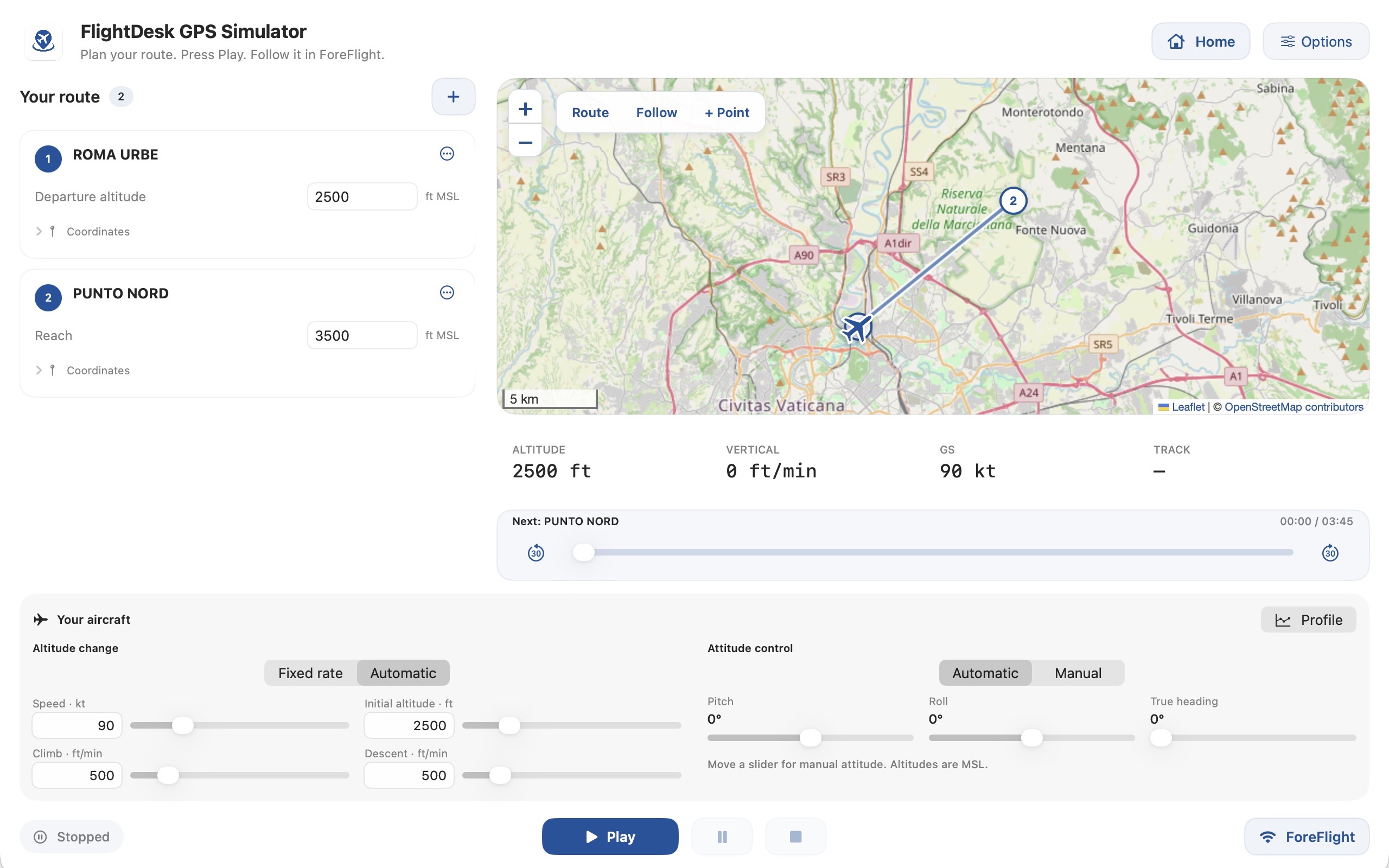
GPS Simulator: practise with a virtual route on the ground
FlightDesk GPS Simulator lets you prepare a virtual route and send simulated position and attitude to ForeFlight over your local network. It is designed for learning your setup on the ground, observing movement on the chart and rehearsing a navigation sequence without moving an aircraft. The app is available for Mac, iPhone and iPad, with controls for managing the simulation along your waypoints.
To begin, create at least two points, set speed and initial altitude and review the route. Connect the simulator device and the device running ForeFlight to the same local Wi-Fi network. Start the simulation, allow local network access and enable FlightDeskSim under More, Devices in ForeFlight. On Mac, you can transfer a route using a compatible FPL file. Check the receiving device to confirm that the simulated position and movement are actually being displayed.
Does the simulation always need an Internet connection?
Data transmission uses your local network; loading online map tiles requires Internet access. This independent product is intended exclusively for simulation and ground testing. Never use its simulated data for real navigation, flight operation or operational decisions.
From a route to a live simulation.
FlightDesk GPS Simulator is a dedicated companion for ForeFlight workflows. It does not replace or spoof the device’s system GPS.
Build or import a route
Place waypoints on the map or import a compatible FPL flight plan. Export a plan when you choose.
Shape the flight
Set speed and altitude, including climb and descent. Use automatic attitude or adjust heading, pitch and roll.
Play it over local Wi-Fi
Control the timeline, pause and resume. The app broadcasts simulated data for ForeFlight on the same local network.
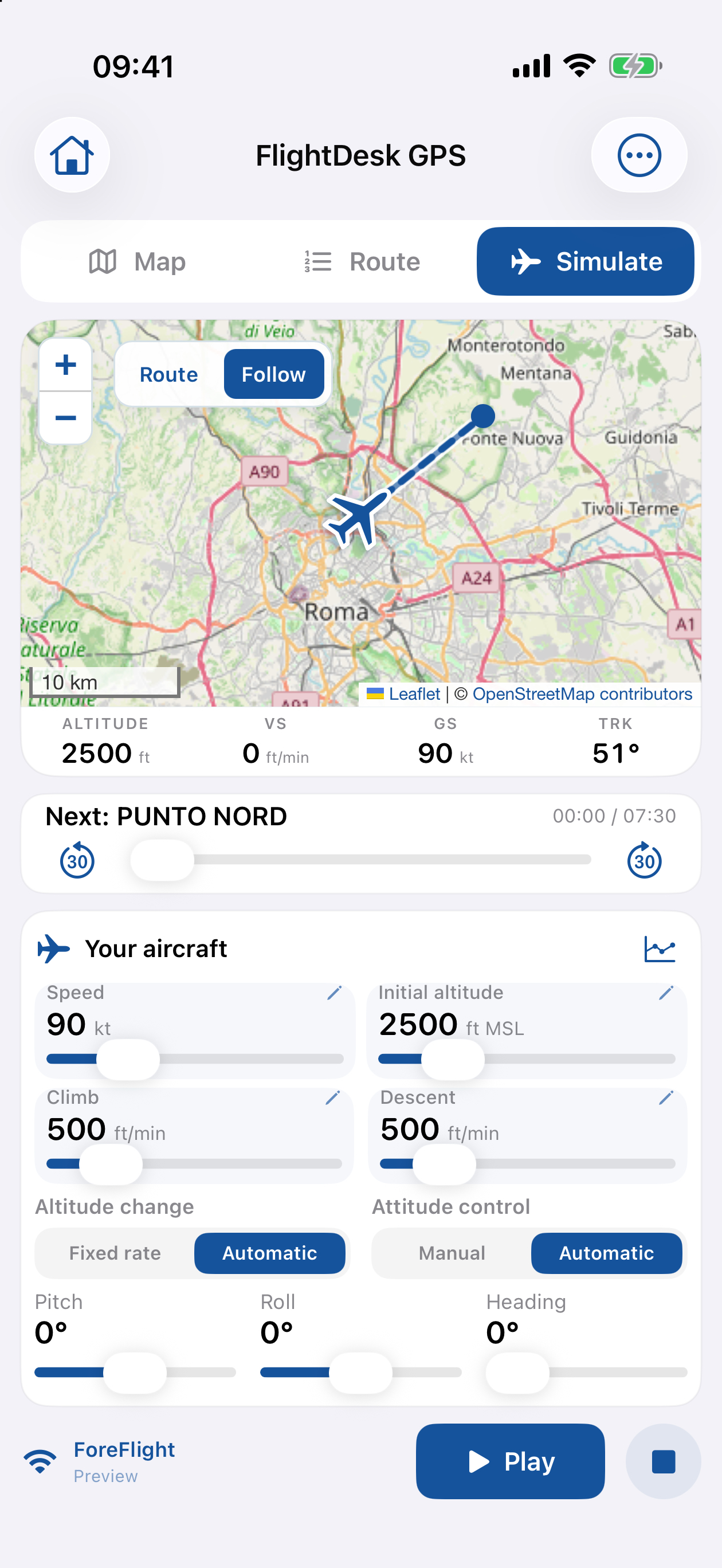
The simulation stays in your hands.
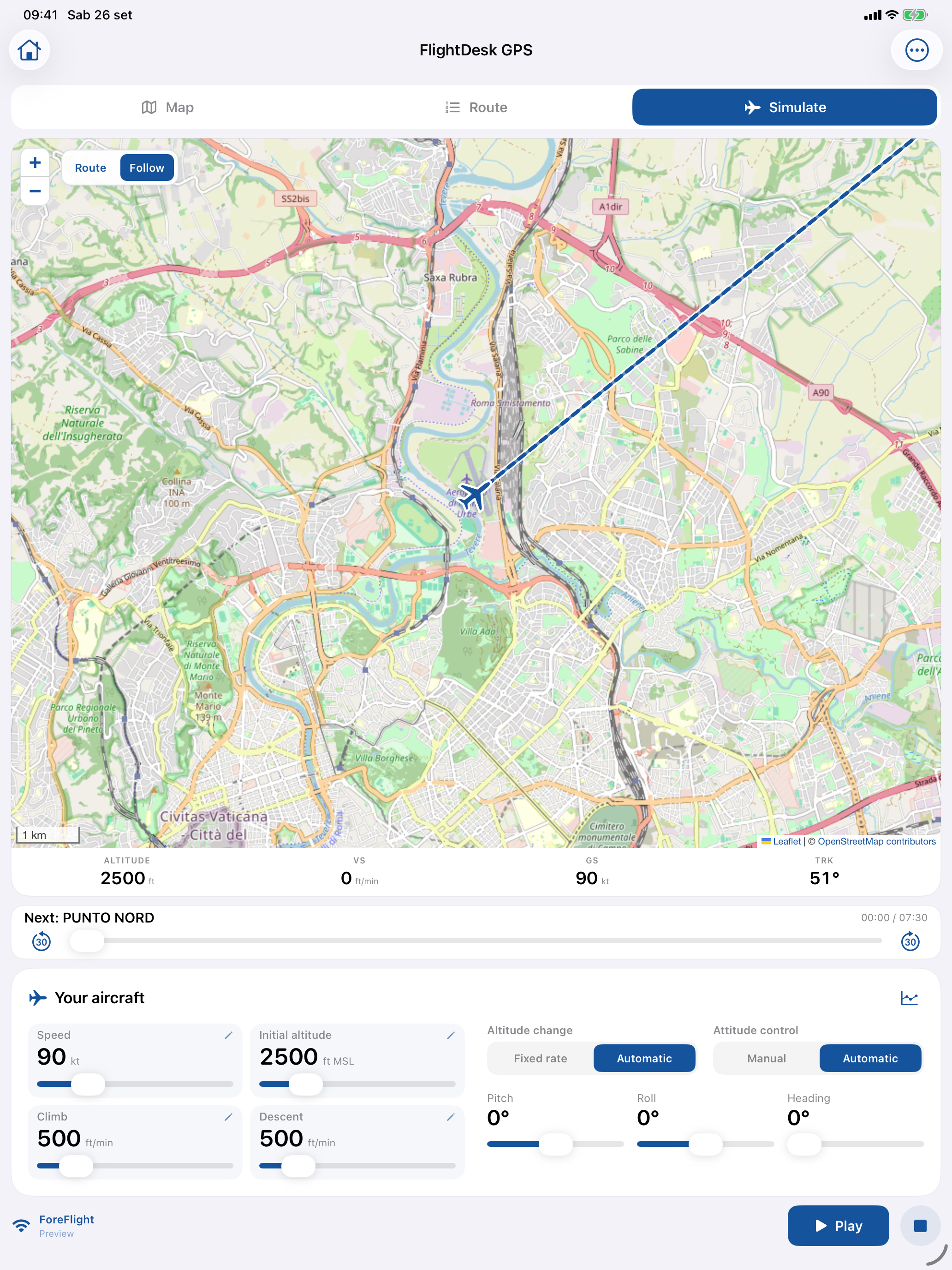
See the aircraft on the map while you change speed, altitude and attitude. Play, pause or move along the route without losing sight of the flight.
- Map and waypoint route
- Automatic or manual attitude
- Local-network connection instructions in the app
Room to plan. Freedom to practice.
Work with route details and a planned vertical profile, then follow the virtual flight. On Mac, import or export a compatible FPL file to move the route when you decide.
FlightDesk and the device running ForeFlight must be on the same local Wi-Fi network. Start the simulation, allow local network access, then enable FlightDeskSim under ForeFlight → More → Devices.
Never use simulated data for real-world navigation, flight operation or operational decisions. FlightDesk GPS Simulator is independent and is not affiliated with, sponsored by or endorsed by ForeFlight. Online map tiles require Internet access.