GUIDED VFR FLIGHT PLANNING
Guided Flight Log
Build the route, calculate times and fuel, then continue to Mass & Balance and the ICAO flight plan in one clear sequence.
Free registration
PDF and FPL export
Read-only sharing
Planning that follows the way a flight takes shape
Start with the navigation, verify the aircraft loading, then prepare the information required for the flight plan. Each stage has a precise purpose and remains available for review.
A single planning thread
Route, fuel, loading and ICAO information are approached as consecutive parts of the same preparation.
Plans you can reopen
Keep previous Flight Logs and saved flight plans available as a basis for later review or a new flight.
Made for VFR pilots
A clean interface, practical explanations and documents designed to support the pre-flight briefing.
ONE WORKFLOW, THREE TOOLS
From route planning to the completed flight plan.
Three connected tools keep navigation, aircraft loading and ICAO information in a sequence that is easy to review.
STEP 01
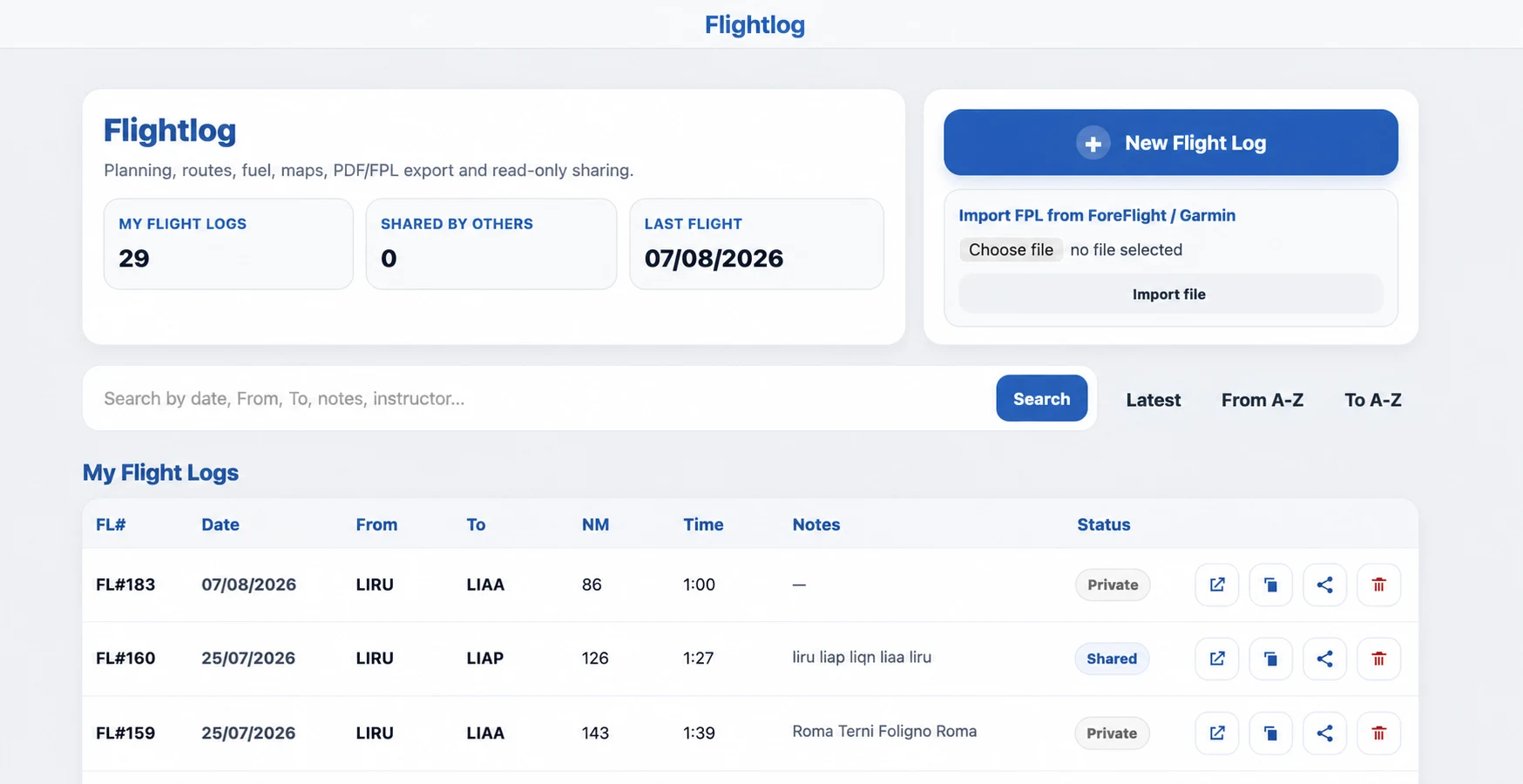
Build the navigation with Flight Log
Create the route and organize waypoints, distances, headings, times and fuel. You can keep multiple Flight Logs, search previous plans, import compatible FPL files and prepare a readable document for the briefing.
- Route, waypoints and distances
- Times and fuel calculation
- Maps, PDF/FPL export and read-only sharing
Open Flight Log
STEP 02
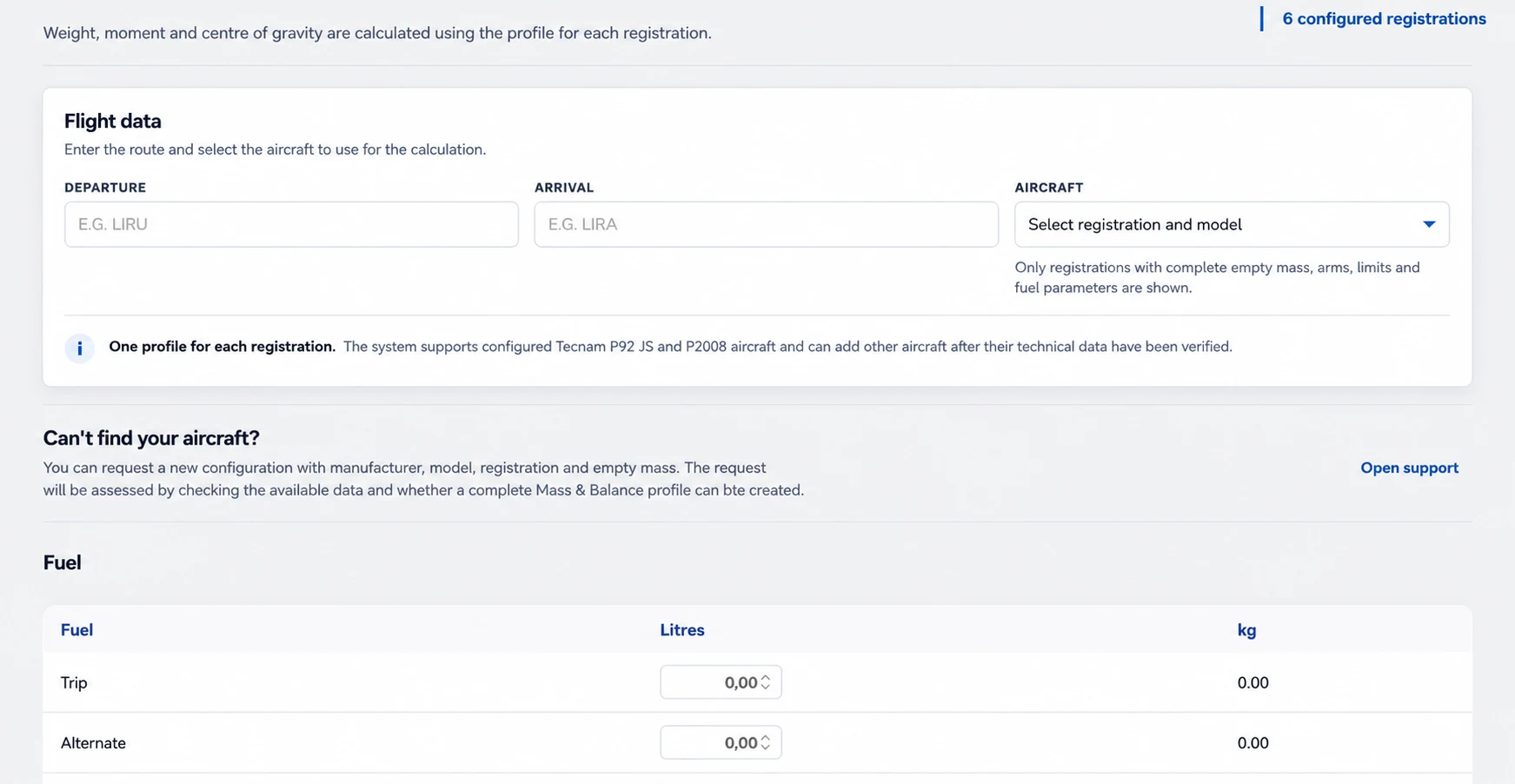
Check mass, centre of gravity and fuel
Move from route planning to the aircraft loading check. Select a configured registration, enter occupants, baggage and fuel, and verify take-off and landing conditions against the applicable profile.
- Aircraft-specific configured profiles
- Fuel converted into mass and moment
- Take-off and landing envelope check
Open Mass & Balance
STEP 03
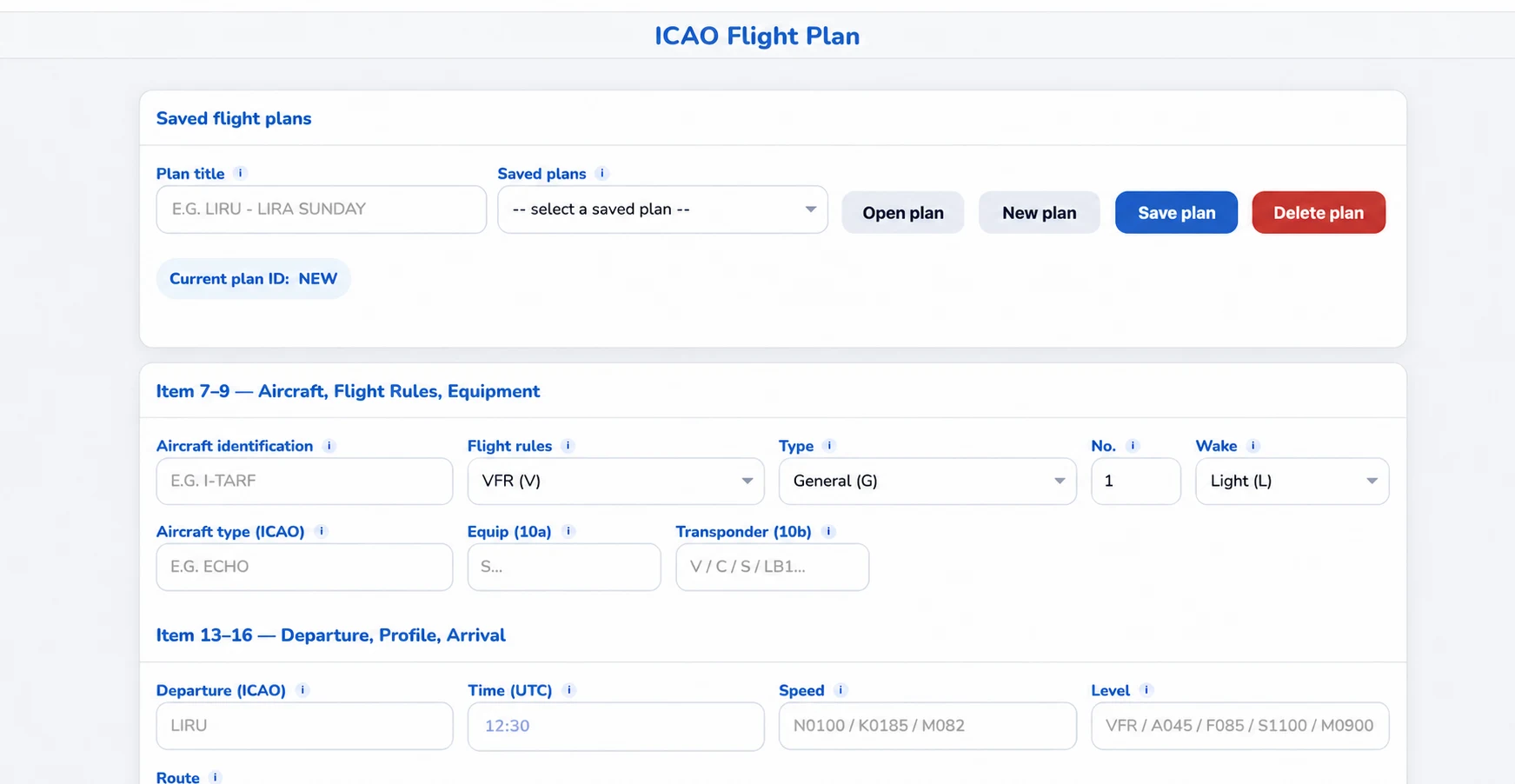
Prepare the ICAO flight plan in a guided form
Complete the ICAO fields in clearly separated sections: aircraft and equipment, departure and destination, route, endurance and additional information. Save a draft and return to it for the final review.
- ICAO fields grouped by topic
- Explanations beside the most technical items
- Saved plans ready to be reopened and checked
Open ICAO Flight Plan
A PRACTICAL METHOD
The platform guides the sequence. The pilot validates the flight.
The aim is not to hide complexity, but to present it in the right order. These four checkpoints help keep preparation consistent.
01
Define the route
Departure, destination and route points create the base for distance, time and fuel.
02
Check the aircraft
Loading, usable fuel and centre of gravity must match the selected registration and current documentation.
03
Complete the plan
Transfer the verified information into the applicable ICAO fields and keep the plan available for review.
04
Cross-check sources
Compare the result with weather, NOTAMs, AIP, charts, AFM/POH and the rules applicable to the flight.
A single planning thread
Route, fuel, loading and ICAO information are approached as consecutive parts of the same preparation.
Plans you can reopen
Keep previous Flight Logs and saved flight plans available as a basis for later review or a new flight.
Made for VFR pilots
A clean interface, practical explanations and documents designed to support the pre-flight briefing.
Do I need an account?
The guide is public. A free account is required to create and save personal Flight Logs, Mass & Balance calculations and flight plans.
Can I import a route?
Flight Log supports compatible FPL files exported by tools such as ForeFlight and Garmin. Always review imported points and data before use.
Can I select any aircraft in Mass & Balance?
Only registrations with a complete verified profile appear in the selector. If your aircraft is missing, you can request a new configuration.
Does FlightDesk file the flight plan automatically?
The tool helps prepare and save the ICAO information. Check the current submission procedure and the requirements of the competent aeronautical service.
Does this replace an official pre-flight briefing?
No. FlightDesk is an organizational and calculation aid. The pilot in command must verify current official sources, aircraft documentation and all applicable requirements.
Ready to prepare your next flight?
Create a Flight Log, continue with the loading check and arrive at the flight plan with every step in order.
Operational support only. Always verify the result against current official aeronautical sources, the applicable AIP and NOTAMs, charts, ATS instructions and the aircraft AFM/POH. The pilot in command remains responsible for flight preparation and conduct.